
Wix vs WordPress is one of the most-searched questions when setting up a website, and it’s easy to see why. Both platforms are capable of getting a business online, but they take very different approaches, and choosing the wrong one can cost you considerably more time and money further down the line.
At Solve, we’ve been building professional WordPress websites for over 20 years. We’ve also seen a large number of businesses arrive on our doorstep, having outgrown Wix and needing to migrate. That experience puts us in a good position to give you an honest, balanced view of both platforms in 2026, without the affiliate bias you’ll find in many comparison articles.
So, does Wix still deserve its reputation as the builder for beginners? And is WordPress still the serious choice for businesses with growth ambitions? Let’s get into it.
Table of Contents
Quick Comparison: Wix vs WordPress at a Glance
| Category | Wix | WordPress |
| Usability | Beginner-friendly drag-and-drop builder | More complex, steeper learning curve |
| Design & Customisation | Template-based with limited flexibility | Virtually unlimited design control |
| Apps & Plugins | 300+ apps in a curated marketplace | 60,000+ plugins |
| eCommerce | Built-in store, suitable for smaller catalogues | WooCommerce: scalable with no real ceiling |
| SEO | Improved, but still limited | Full control; industry-leading plugins |
| Security | Managed for you by Wix | Your responsibility, supported by plugins |
| Data Ownership | Platform locked-in | Full ownership and portability |
| Maintenance | Automatic updates handled by Wix | Requires active management or a maintenance plan |
| Support | Phone, email and tutorials | Huge global community plus plugin support |
| Pricing | From £17/month (plans only go up) | Low starting cost; scales with your needs |
| Blogging | Basic functionality | Built for blogging from the ground up |
| AI Features | Wix Airo AI site builder | Growing ecosystem of AI plugins |
Usability
Wix
Wix is built for people who want to get a website live quickly, without any coding knowledge. Its drag-and-drop editor lets you move elements anywhere on a page, add text, images, slideshows and eCommerce buttons with simple clicks. What you see in the editor is essentially what your visitors will see, which makes it intuitive for beginners.
That said, Wix’s simplicity has its limits. Some designs and features simply aren’t achievable within the platform. Users frequently report responsiveness issues when making content updates, particularly with text overlaps and floating elements on mobile screens. And once you commit to a Wix template, you can’t switch to a different one without rebuilding your content from scratch, which is a significant constraint if your brand evolves.
WordPress
WordPress has a steeper initial learning curve, but that reputation is partly outdated. With minimal training, most users find it straightforward to manage. The native Gutenberg block editor has improved considerably, and page builders like Elementor bring a genuinely visual drag-and-drop experience to WordPress that rivals Wix’s for ease of use, with far more flexibility behind it.
The bigger advantage is longevity. WordPress doesn’t have the responsiveness glitches that Wix users encounter, and it scales with your business rather than constraining it.
Winner: WordPress for long-term usability. Wix wins on initial simplicity, but that advantage diminishes quickly.

Design and Customisation
Wix
Wix offers over 800 templates organised by industry, which gives beginners a solid starting point. Templates are pre-populated with sample content to demonstrate the design, and the visual editor allows meaningful customisation of colours, fonts, images and layout within those templates. For brands that don’t need anything unique, this is genuinely useful.
The limitation becomes apparent when you want to step outside what the template allows. Customisation beyond the template’s structure requires knowledge of Wix Velo (the platform’s development environment), which is far from beginner territory. If you want a distinctive website that stands apart from the thousands of others using the same Wix template, you’ll hit a ceiling.
WordPress
WordPress gives you virtually unlimited control over design. You can choose from over 11,000 free themes, work with a developer to build a fully bespoke theme, or enhance any design with more than 60,000 plugins. There’s no ceiling to what’s achievable, and the result is a website that can look and behave exactly as your business needs.
The trade-off is that this flexibility requires some investment, either in learning, in a developer, or in a quality theme. If you’re serious about your online presence, investing in a professional web design agency is worthwhile to avoid the limitations of basic templated designs on either platform.
Winner: WordPress for design freedom and long-term creative control.
Apps and Plugins
Wix
Wix’s App Market offers around 500 apps, covering categories from marketing and analytics to bookings and social media. Every app is vetted by the Wix team for compatibility, which means there are rarely integration issues. For straightforward requirements, this works well.
The limitation is simply volume. 500 apps cover the basics, but if you need specific functionality, there’s a reasonable chance Wix won’t offer it, or won’t offer it without a workaround.
WordPress
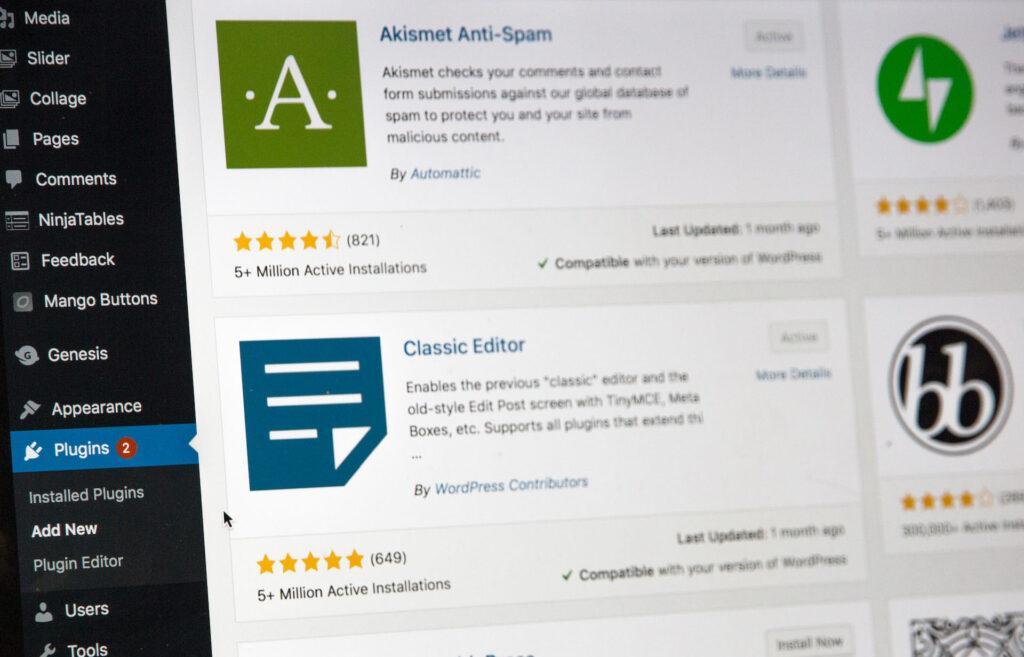
WordPress is open-source, meaning any developer in the world can build and publish a plugin. The result is a marketplace of over 60,000 plugins covering virtually any functionality imaginable. Many are free; others are paid. The breadth is genuinely unmatched.
The caveat is quality control. Unlike Wix’s curated marketplace, not every WordPress plugin is well-maintained or frequently updated, and installing conflicting plugins can cause issues. Checking reviews, update frequency and active installation numbers before adding a plugin is good practice.
Winner: WordPress on capability and choice; Wix wins on simplicity and reliability of what it does offer.
eCommerce
Wix
Wix’s built-in eCommerce tools are genuinely capable for small online stores. Features include unlimited products, automated sales tax, multi-currency selling, dropshipping support, subscriptions and a loyalty programme. Setup is fast and beginner-friendly, which makes it appealing for new or smaller businesses.
The drawbacks become evident at scale. Wix charges a commission on every sale made through its platform, which adds up quickly at volume. Inventory management and integration with other business systems can also feel more limited than with dedicated eCommerce platforms. The Business plan, which is the minimum needed for a functional store, starts at £21 per month.
WordPress
WordPress handles eCommerce through WooCommerce, the world’s most widely used eCommerce plugin. As of 2026, WooCommerce powers over 6.6 million live stores worldwide. It supports unlimited products, unlimited transactions with no commission taken, and integrates with virtually every payment gateway, logistics system and CRM on the market.
WooCommerce is free, open-source and scalable from a simple five-product shop to a complex B2B operation with thousands of SKUs. The trade-off is a more involved setup, but for any business with serious eCommerce ambitions, the ceiling on Wix is a real limitation that WooCommerce simply doesn’t have.
Winner: WordPress for anything beyond a small catalogue. Wix is acceptable for simple, low-volume stores.

Wix SEO vs WordPress SEO
This is the area where the choice matters most for long-term business performance, and it’s where we have the strongest view.
Wix SEO
Wix has made genuine progress on SEO over the past few years, and it’s fair to acknowledge that. It offers guided SEO setup, meta tag and description editing, integration with Google Analytics and Search Console, and a reasonable selection of SEO apps. For a basic local business website, Wix SEO can get the job done at an entry level.
But there are persistent limitations that matter for anyone serious about organic search:
- Limited technical control: Wix is a closed platform, which means you can’t access server-level configurations, edit your robots.txt freely or implement certain technical SEO fixes without workarounds.
- URL structure: Wix’s default URLs are not fully customisable and have historically been poor for SEO. While this has improved, you still don’t have the same level of control as WordPress.
- JavaScript rendering: Wix relies heavily on JavaScript, which can create crawlability challenges for search engine bots, even as Googlebot has improved its handling of JS in 2026.
- Schema markup: Options for structured data are narrower than in WordPress, limiting your ability to earn rich results and AI Overview citations.
WordPress SEO
WordPress is Solve’s chosen platform for all our websites, and SEO is a significant reason why. The combination of full technical access and a class-leading plugin ecosystem makes it the most capable SEO platform available. In 2026, the leading plugins include:
- Yoast SEO: the most established WordPress SEO plugin, with over 13 million installations. Strong on readability, meta optimisation and multi-language support.
- Rank Math: over 3 million installations, with a generous free tier covering redirects, 20+ schema types, keyword tracking and, critically in 2026, llms.txt support for AI crawler guidance.
- AIOSEO: a strong choice for agencies managing multiple sites, with AI-powered content tools built in.
WordPress powers 43% of all websites on the internet as of 2026. That dominance is not accidental. Independent studies from Ahrefs and SEMrush consistently show WordPress-powered websites dominating top search rankings across virtually every industry. As an SEO agency with over 20 years of experience, we have never recommended Wix to a client with serious long-term organic search ambitions, and that position hasn’t changed in 2026.
Winner: WordPress, clearly. The gap has narrowed, but it remains significant.

WordPress vs Wix Security
This section is absent from most Wix vs WordPress comparisons, but it’s important enough to address directly.
Wix Security
Because Wix is a closed, hosted platform, security is largely handled for you. SSL certificates, server security, software updates and backups are all managed by Wix in the background. For non-technical users, this is a genuine advantage; you don’t need to think about it.
WordPress Security
WordPress’s open-source nature means security is your responsibility, but that doesn’t mean it’s inherently insecure. A well-maintained WordPress site with quality web hosting, a security plugin (such as Wordfence or Sucuri), regular updates and strong passwords is robustly secure. The vulnerability often stems from neglected updates, cheap hosting, or poorly maintained plugins.
This is why professional WordPress maintenance matters. At Solve, we manage updates, security monitoring and backups for our clients, so the burden of WordPress security never falls on the business owner alone.
Winner: Wix for ease of security management. WordPress is equally secure in the right hands, but it requires active management.

Data Ownership and Platform Lock-In
This is one of the most important factors in the Wix vs WordPress decision, and one that’s often overlooked until it’s too late.
With Wix, your website lives on Wix’s servers, is subject to Wix’s terms and conditions, and uses Wix’s proprietary technology. If Wix changes its pricing, discontinues a feature or closes entirely, your options are limited. Migrating away from Wix is notoriously difficult: there is no direct export tool that transfers your full website design to another platform. Content can be extracted, but rebuilding the design elsewhere requires significant time and expense.
With WordPress, you own everything. Your content, your design, your data, your domain. You can move your site to a different host at any time, switch themes, export everything and rebuild elsewhere if you ever need to. That portability is a genuine long-term asset.
We regularly help businesses migrate from Wix to WordPress for exactly this reason. The short-term convenience of Wix can become a long-term constraint as a business grows.
Winner: WordPress, decisively.

AI Features in 2026
Both platforms have added AI capabilities in 2026, which is worth noting.
Wix Airo
Wix has replaced its older ADI (Artificial Design Intelligence) setup flow with a new conversational AI called Airo. Rather than answering a questionnaire, you describe your business in natural language, and Airo generates a website structure, content and design to match. It’s a genuinely impressive starting point for beginners who want to get from zero to a working site quickly.
WordPress AI
WordPress doesn’t have a native AI site builder, but the plugin ecosystem means AI capabilities are available through tools like Rank Math’s Content AI, AIOSEO’s AI tools, and a growing range of AI writing and image-generation plugins. For businesses already on WordPress, integrating AI into content creation, SEO optimisation and site management is increasingly straightforward.
Winner: Wix for AI-assisted initial setup. WordPress wins for AI integration into ongoing strategy and SEO.
Performance and Core Web Vitals
Google uses Core Web Vitals, covering loading speed, interactivity and visual stability, as direct ranking signals. This makes platform performance an SEO issue as much as a user experience one.
Wix has made genuine improvements to its performance infrastructure, and basic Wix sites can score reasonably well on Core Web Vitals tests. However, as you add apps and customisations, performance can degrade, and you have limited control over the underlying hosting environment to address this.
WordPress performance is directly tied to your hosting quality and how well your site is built and maintained. On quality hosting (such as Solve’s superfast green hosting, which runs on renewable energy), a well-built WordPress site consistently outperforms Wix on speed benchmarks, particularly for complex or content-heavy websites.
Winner: WordPress on a quality host. Wix is acceptable for simpler sites.
Maintenance
Wix
Wix handles all platform updates, security patches and backups automatically. There’s nothing for you to manage on the technical side, which is a meaningful advantage for non-technical business owners.
WordPress
WordPress requires active maintenance. Theme updates, plugin updates and core updates need to be applied regularly, and doing this poorly (or not at all) can cause security vulnerabilities or break site functionality. It’s also worth noting that updating one plugin can occasionally cause a conflict with another, which then needs to be diagnosed.
This is why professional maintenance matters. Solve’s WordPress maintenance service takes care of all of this, so business owners can focus on running their business rather than their website.
Winner: Wix for hands-off convenience. WordPress maintenance is well worth outsourcing.

Support
Wix
Wix offers direct support by phone and email, Monday to Thursday 10am to 10pm GMT, plus a callback service, community forums, tutorial articles and video guides. Response times can vary by plan, and priority support is not available on all packages.
WordPress
WordPress itself doesn’t offer a phone support line, which is understandable given that 43% of all websites globally run on WordPress. What it does have is the largest web development community in the world: an enormous library of tutorials, forums, YouTube content and active developer groups. Most plugins also include their own dedicated support, and issues are typically resolved quickly.
If you’re struggling with WordPress, the answer is rarely difficult to find, or you can work with a WordPress web developer like the Solve team.
Winner: WordPress for depth of community knowledge. Wix wins for direct, one-to-one support access.
Pricing
Wix: £9 to £119 per month
Wix offers a free plan, but it comes with significant restrictions: Wix branding on your site, no custom domain, no eCommerce and limited support. In practice, a usable business website on Wix requires one of the paid plans, all billed annually:
- Light plan: £9/month (no eCommerce, suitable for basic brochure sites)
- Core plan: £16/month (unlocks eCommerce, bookings and analytics)
- Business plan: £25/month (multi-currency, advanced shipping and tax tools)
- Business Elite: £119/month (unlimited storage, priority support, full eCommerce scale)
It’s worth noting that the displayed price is rarely the full picture. VAT is added on top, domain renewal kicks in after year one, paid apps are extra, and payment processing fees (around 2.1% + 20p per transaction via Wix Payments) apply to every sale. For businesses with meaningful sales volume, those fees accumulate quickly.
WordPress: Free software, flexible costs
WordPress itself is free and open-source. The costs involved are:
- Hosting: from around £45/year with Solve’s green hosting, powered by renewable energy
- Domain name: from around £7.99/year
- Premium theme or plugins (optional): variable depending on requirements
- Professional development or maintenance (optional but recommended): variable
If you’re building it yourself, WordPress can cost considerably less than Wix per year, even on a paid plan. If you factor in professional web design, the upfront cost is higher, but you own the asset outright, there are no monthly platform fees to sustain indefinitely, and the long-term total cost of ownership is typically lower.
Winner: WordPress on value and long-term cost. Wix is simpler to budget initially, but the costs only go in one direction.

Blogging
Wix
Wix offers basic blogging features that cover the essentials: post creation, categories, tags and a commenting section. For a simple blog attached to a business site, it does the job. Performance issues with media-heavy posts have been reported by some users.
WordPress
WordPress was originally built as a blogging platform, and it shows. Blogging on WordPress is comprehensive, with advanced publishing controls, scheduling, post backdating, private posts, multi-language support, a native commenting system and a copyright-free image library. Blogs also benefit from WordPress’s superior SEO capabilities, which makes a meaningful difference to how well your content ranks over time.
Winner: WordPress by a clear margin.
Who Should Choose Wix?
Wix is a reasonable choice if:
- You’re a new or very small business that needs a simple website fast, with a limited budget.
- You have no technical resource and no plans to invest in one.
- Your website is primarily a digital brochure rather than a growth channel.
- You’re not relying on organic search for business development.
Who Should Choose WordPress?
WordPress is the better choice if:
- You’re serious about SEO and organic search as a business development channel.
- You want full ownership and control over your website and data.
- You plan to scale your website as your business grows.
- You need eCommerce functionality beyond a small catalogue.
- You want a website that reflects your brand rather than a template.
- You’re thinking long-term, because migrating from Wix to WordPress later is costly and disruptive.

Our Verdict: WordPress vs Wix in 2026
After 20+ years of building websites and helping businesses grow online, our view hasn’t changed: WordPress is the superior platform for any business that takes its website seriously.
Wix has improved, and it deserves credit for that. Wix Airo is a genuinely clever AI site builder for beginners; the eCommerce tools cover the basics, and the managed security and maintenance are a great addition. For a brand-new business that needs a simple online presence on a very tight budget, Wix is a reasonable starting point.
But for businesses that want to rank well in search, own their data, scale their website with their ambitions and avoid the disruption of a costly migration in three years’ time, WordPress is the right choice.
WordPress is what we build on, it’s what our results are built on, and it’s what we’d recommend to any client who asks.If you’re ready to build a WordPress website that works for your business, or if you’re looking to migrate from Wix, the Solve team is ready to help.

FAQs – WordPress vs Wix
Is Wix or WordPress better for SEO?
WordPress is significantly better for SEO. It offers full technical control, access to industry-leading plugins like Yoast and Rank Math, flexible URL structures and the ability to implement any structured data schema. Wix has improved its SEO tools in recent years, but it remains a closed platform with meaningful limitations for anyone pursuing long-term organic growth. WordPress-powered sites dominate top search rankings across virtually every industry.
Can you migrate from Wix to WordPress?
Not easily. Wix is a closed platform with no direct migration tool for transferring your full website design and content to WordPress. Content can be exported, but the design typically needs to be rebuilt from scratch. This is one of the strongest arguments for choosing WordPress from the outset. Solve regularly assists businesses with Wix-to-WordPress migrations; get in touch if this is something you need.
Is WordPress harder to use than Wix?
Initially, yes. WordPress has a steeper learning curve, particularly around setup (choosing a host, installing WordPress, and configuring plugins). However, with a visual page builder like Elementor and a good theme, the day-to-day experience of managing a WordPress site is comparable to Wix for non-technical users, while offering far more capability when you need it.
What does WordPress cost compared to Wix?
WordPress software is free. The main costs are hosting (from around £45 per year), a domain name and optionally a premium theme or plugins. A professionally built WordPress website involves an upfront development cost, but the ongoing costs are typically lower than Wix’s compulsory monthly plans. Wix paid plans start at £21 per month and only go upward.
Is Wix good enough for a small business website?
For a very simple digital presence with no SEO ambitions, Wix can suffice. For any business that wants to be found in search results, grow its online presence over time or have full control over its website, WordPress is the better long-term investment.
Which platform is best for eCommerce?
WordPress with WooCommerce is better for most eCommerce businesses. WooCommerce powers over 6.6 million stores worldwide, charges no transaction fees, and can scale to support extremely complex catalogues and operations. Wix’s built-in eCommerce is suitable for small stores with straightforward requirements, but the commission charges and scalability limitations make it a costly choice at volume